insert_pixel_code_here(Facebook Pixel code)
Understanding Google Analytics: Key Metrics to Track

Understanding Google Analytics: Key Metrics to Track


Understanding Google Analytics: Key Metrics to Track


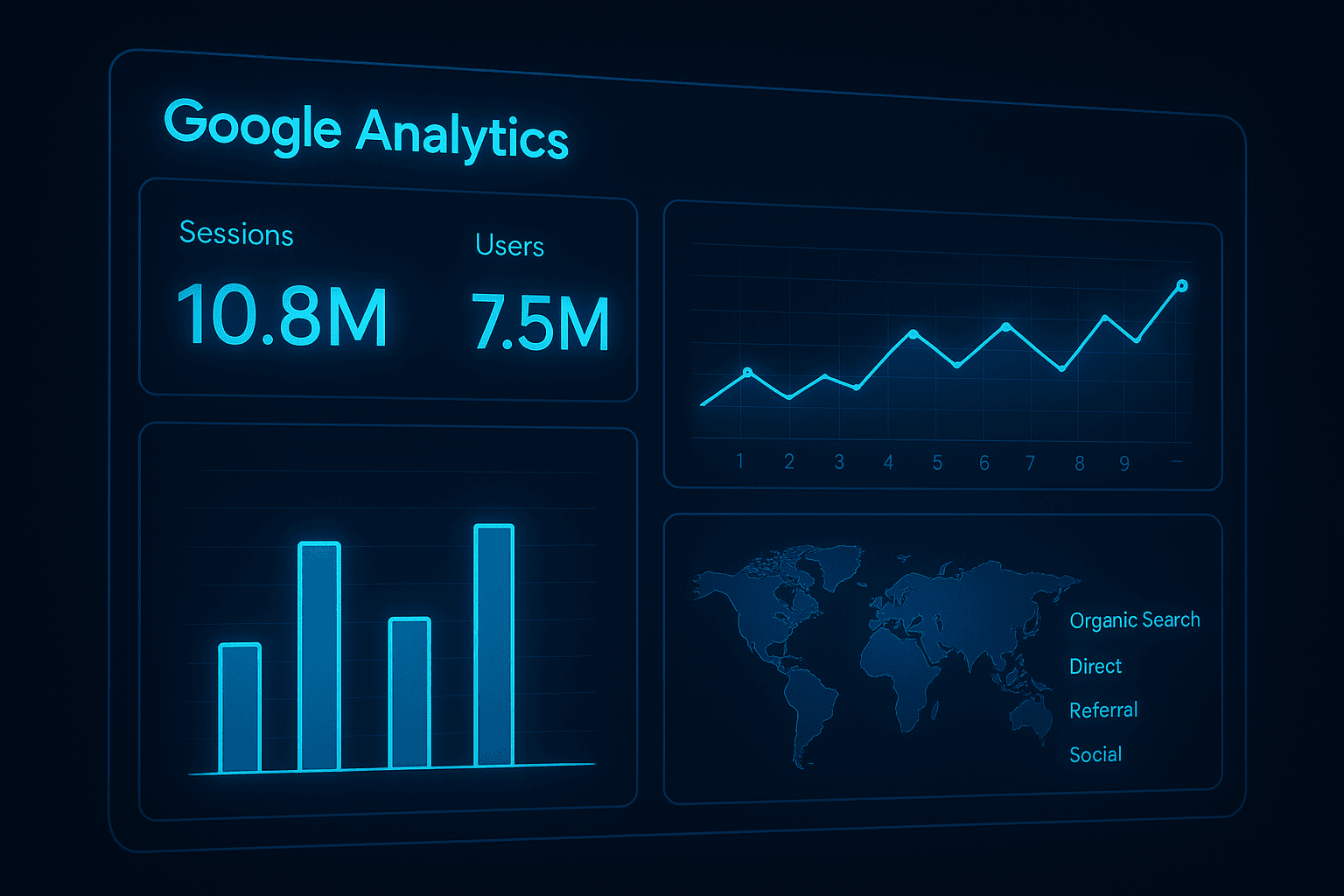
Google Analytics is a powerful tool for understanding how visitors interact with your website. By tracking various metrics, you can gain insight into how users find your site, what pages they visit, and how long they stay. This information can help you make informed decisions about your website design and content, as well as your overall digital marketing strategy.

But with so many metrics to track, it can be overwhelming to know where to start. In this article, we'll explore some of the key metrics you should be tracking in Google Analytics and how to interpret the data.

  • Sessions

A session is a group of interactions that take place on your website within a given time frame. A session can include multiple pageviews, events, and transactions. Tracking the number of sessions on your website is a good way to measure overall traffic.

  • Users

A user is a unique visitor to your website within a given time frame. Tracking the number of users on your website can help you understand how many people are coming to your site and how many are returning.

  • Pageviews

A pageview is counted each time a page on your website is viewed by a visitor. Tracking the number of pageviews can help you understand which pages on your website are the most popular and which ones may need improvement.

  • Bounce Rate

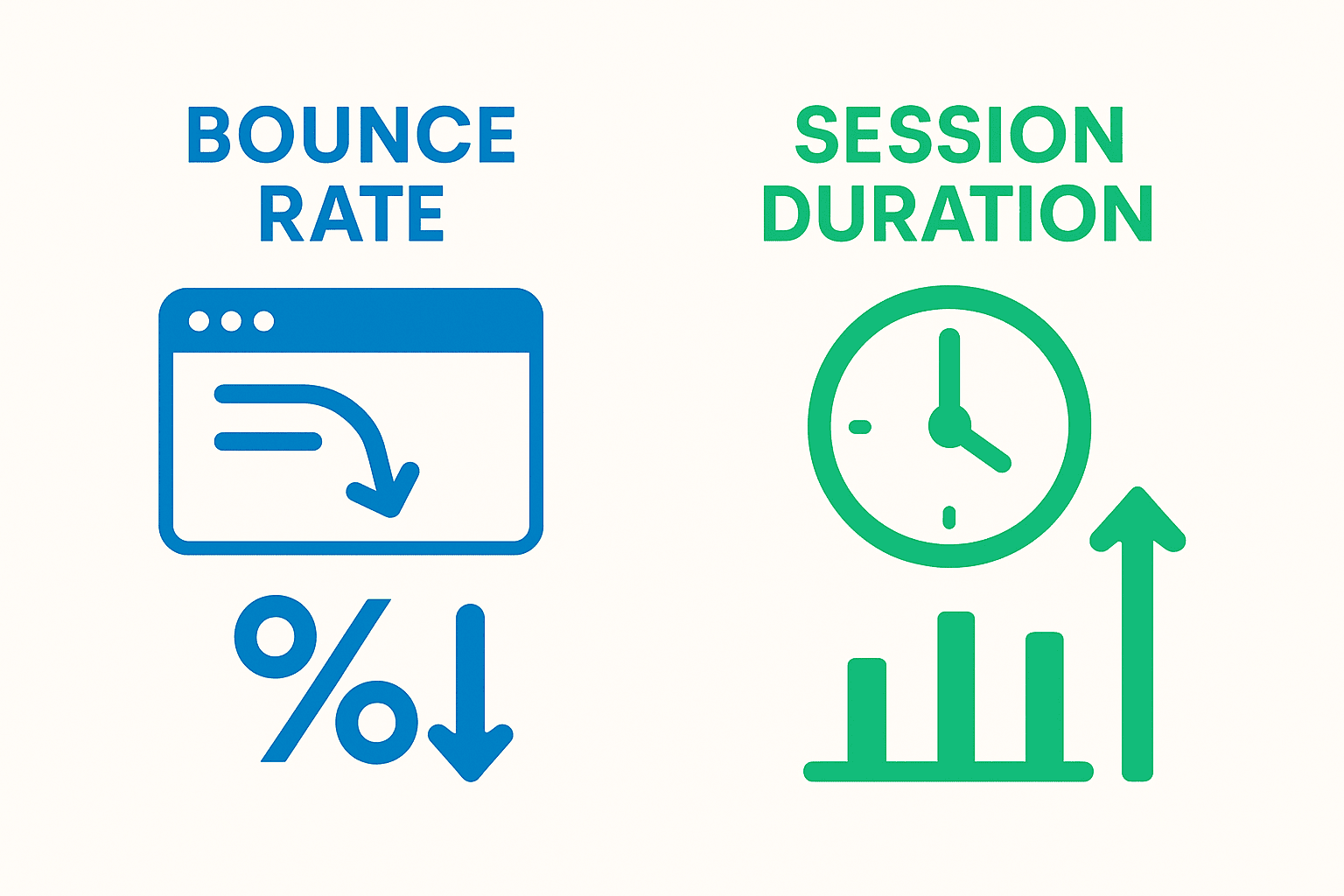
The bounce rate is the percentage of visitors who leave your website after viewing only one page. A high bounce rate can indicate that visitors aren't finding what they're looking for on your site or that your site isn't engaging enough.

  • Average Session Duration

The average session duration is the average amount of time visitors spend on your website. Tracking this metric can help you understand how engaged visitors are with your content.

  • Pages per Session

Pages per session is the average number of pages viewed per session. This metric can help you understand how visitors navigate your website and how engaged they are with your content.

  • Conversion Rate

The conversion rate is the percentage of visitors who complete a desired action on your website, such as making a purchase or filling out a form. Tracking this metric can help you understand how effective your website is at converting visitors into customers.

  • Traffic Sources

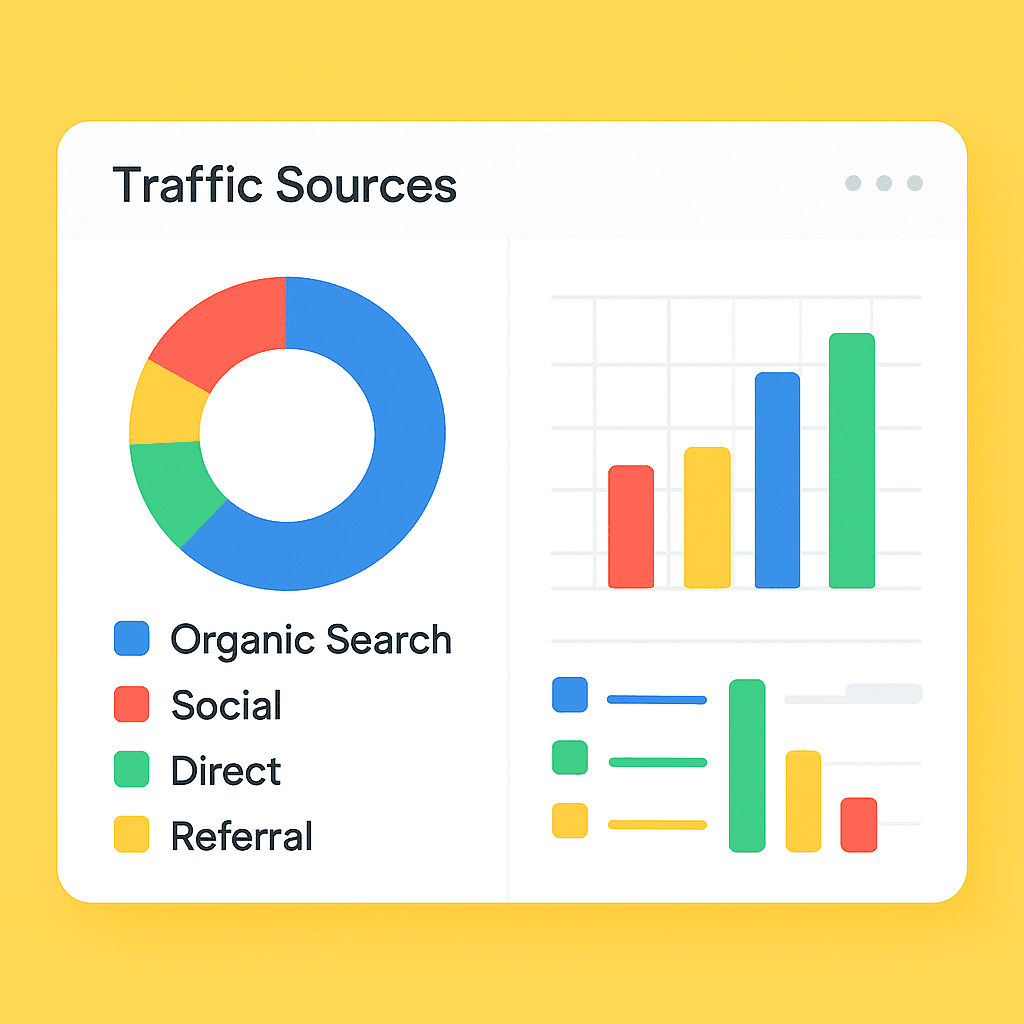
Understanding where your website traffic comes from can help you identify which marketing channels are most effective. Google Analytics tracks traffic sources, such as organic search, direct traffic, social media, and referrals.

  • Landing Pages

The landing page is the first page a visitor sees when they arrive on your website. By tracking which landing pages are most popular, you can gain insight into what types of content and messaging resonate with your audience.

  • Exit Pages

Exit pages are the last pages a visitor sees before leaving your website. By tracking which pages have the highest exit rate, you can identify potential issues with your website design or content.

Interpreting the Data

Tracking these key metrics is only the first step. To truly understand what the data is telling you, it's important to analyze the metrics in context. For example, a high bounce rate might be a cause for concern if it's happening on your homepage, but it might be less concerning if it's happening on a blog post that visitors found through a search engine.

It's also important to look at trends over time. Are your website visitors increasing or decreasing? Is your bounce rate improving or getting worse? By tracking these metrics over time, you can identify areas where your website is performing well and areas where you may need to make changes.

Conclusion

Google Analytics provides a wealth of information about how visitors interact with your website. By tracking key metrics such as sessions, users, pageviews, bounce rate, and conversion rate,

Brand Management on Social Media

Brand Management on Social Media

Brand Management on Social Media: Building Trust and Loyalty in the Digital Age

In today’s hyperconnected world, social media is no longer an optional marketing tool, it is the central stage for brand identity, reputation, and customer relationships. With over 4.8 billion social media users worldwide, platforms like Instagram, LinkedIn, X (formerly Twitter), Facebook, and TikTok have become the battlegrounds where brands compete for attention, loyalty, and trust. Effective brand management on social media requires more than just posting beautiful visuals or witty captions. It’s about cultivating an authentic presence that aligns with your company’s values, resonates with your audience, and adapts to constant digital evolution.

1. The Role of Social Media in Brand Management

Social media has democratized branding. Unlike traditional media where communication was one-way, social platforms allow real-time engagement, giving customers a voice and brands an opportunity to listen and respond. The power balance has shifted: consumers now co-create a brand’s image through reviews, shares, and user-generated content.

Successful brand management in this landscape means maintaining consistency across platforms while adapting tone and content to each audience segment. For example, a brand may take a more professional voice on LinkedIn while embracing humor or cultural trends on TikTok. This flexibility, grounded in a strong identity, is key to staying relevant without losing authenticity.

2. Defining a Clear Brand Identity

At the heart of brand management is identity. The unique DNA that defines your brand. Before launching campaigns or hashtags, a business must articulate its core values, mission, voice, and visual language. A well-defined brand identity answers questions such as:

  • What do we stand for?
  • Who are we speaking to?
  • How do we want people to feel when they interact with us?

Consistency is crucial. Logos, color palettes, fonts, and tone of voice should remain uniform across posts and platforms. However, consistency doesn’t mean rigidity. Smart brands allow creativity within boundaries, adapting visual and verbal styles for different audiences while maintaining recognizable brand cues.

3. Crafting a Content Strategy that Connects

Content is the currency of social media brand management. Each post contributes to public perception, so strategy matters. A strong content mix blends educational, entertaining, and promotional material to engage followers without overwhelming them with sales messages.

For example:

  • Educational content (tutorials, industry insights, infographics) positions the brand as a thought leader.
  • Storytelling content (customer testimonials, behind-the-scenes videos) humanizes the brand.
  • Interactive content (polls, live sessions, Q&As) builds community and invites participation.

An editorial calendar helps maintain consistency and ensures posts align with marketing goals, product launches, and cultural moments. Brands should also optimize content formats. Short-form videos for Instagram Reels or TikTok, long-form thought pieces for LinkedIn, and quick updates or customer support replies for X.

4. Building and Maintaining Engagement

Brand management on social media thrives on relationships, not reach alone. Engagement metrics, likes, shares, comments, mentions all reflect how audiences connect with your message. Responding promptly to comments and inquiries shows attentiveness and fosters trust.

Authenticity is key. Today’s consumers can easily spot performative marketing or insincere apologies. Brands must be transparent about their practices and responsive to feedback, especially during crises. When handled well, even negative comments can strengthen credibility by showing accountability and care.

Influencer collaborations are another valuable engagement strategy. By partnering with credible voices who align with your brand’s values, you extend your reach while reinforcing authenticity. Micro-influencers, in particular, often deliver high engagement due to their close-knit communities.

5. Monitoring Brand Perception and Reputation

No matter how strong your strategy, brand perception can shift quickly in the volatile world of social media. That’s why continuous monitoring is essential. Social listening tools such as Hootsuite, Sprout Social, and Brandwatch help track mentions, hashtags, and sentiment across platforms, allowing brands to detect emerging trends, measure campaign effectiveness, and address issues proactively.

When crises arise whether from a product complaint or a viral controversy, a timely, well-managed response can prevent escalation. The best crisis management strategies combine honesty, empathy, and prompt action. Brands should acknowledge concerns, take responsibility where appropriate, and communicate solutions clearly. Silence or defensiveness can do lasting damage.

6. Leveraging Data and Analytics

Social media platforms provide rich data on user behavior, engagement, and demographics. Effective brand managers turn these insights into actionable strategies. Analytics can reveal which content performs best, what times yield higher engagement, and which audience segments are most valuable.

Beyond surface metrics like followers or likes, focus on meaningful KPIs—such as engagement rate, brand sentiment, and conversion from social media interactions. A data-driven approach ensures marketing decisions are guided by evidence, not assumptions.

7. The Importance of Storytelling and Humanization

Modern consumers crave connection, not just consumption. Storytelling transforms a brand from a logo into a living narrative. Whether sharing a founder’s journey, highlighting community impact, or featuring customer success stories, authentic storytelling builds emotional resonance.

Humanizing your brand also involves showing the faces behind it employees, partners, and satisfied customers. This transparency reinforces trust and fosters a sense of belonging. Brands like Nike, Dove, and Apple have mastered this by intertwining human stories with their core values, creating loyalty that transcends products.

8. Adapting to Emerging Trends

Social media trends evolve rapidly. What works today may be outdated tomorrow. Brands must remain agile, experimenting with new formats like short videos, interactive filters, or live shopping. Artificial intelligence, augmented reality, and personalization are shaping the next frontier of digital branding, enabling tailored experiences for each user.

Yet, amidst innovation, the fundamentals remain: authenticity, clarity, and connection. Trends should enhance, not replace, a brand’s identity. Jumping on every viral challenge without alignment can dilute credibility.

9. Conclusion: The Ongoing Journey of Brand Management

Brand management on social media is a continuous process of listening, adapting, and engaging. It’s about more than visibility, it’s about building trust and loyalty in a dynamic, participatory environment. The most successful brands are those that treat social media not as a marketing channel but as a living ecosystem. One that thrives on dialogue, authenticity, and shared values.

In essence, social media brand management is not a sprint but a marathon. It demands patience, creativity, and consistency. Brands that embrace this approach will not only survive the ever-changing digital landscape, they will shape it.

Why SMEs Need a Strong Web Presence: The Importance of Web Development

Why SMEs Need a Strong Web Presence: The Importance of Web Development

In today's digital landscape, a robust web presence is imperative for small and medium-sized enterprises (SMEs). For you, the decision-makers of SMEs, maintaining competitiveness and relevance in your industry is crucial. A thoughtfully executed website functions as a powerful asset that can propel your business forward. In this article, we'll delve into the reasons SMEs need a strong web presence, the pivotal role of web development in this process, and how software development can further bolster your online strategy.

The Digital Landscape: A New Era for SMEs

The advent of the internet has fundamentally changed the dynamics of business operations. Consumers are increasingly relying on online platforms to research products, compare prices, and read reviews before making purchasing decisions. Statistics indicate that over 80% of consumers undertake online research prior to buying. This shift in consumer behavior necessitates that SMEs adapt to the digital tide or risk falling behind their competitors who have already embraced this shift.

A compelling web presence empowers SMEs to extend their reach, showcase their offerings, and cultivate brand credibility. Without a well-structured website, you may inadvertently direct potential customers toward competitors who have successfully navigated the online space.

The Role of Web Development in Building Your Online Presence

Web development is the multifaceted process of planning, creating, and sustaining websites. It encompasses numerous dimensions, including design, content, and user experience. Here are some key reasons why web development is vital for SMEs:

  1. First Impressions Count

Your website often serves as the initial interaction point between your business and prospective customers. A professionally crafted website communicates quality and credibility, establishing trust with visitors. Conversely, a poorly designed site may dissuade potential clients and prompt them to seek alternatives.

Investing in superior web development guarantees that your website is visually appealing, easily navigable, and responsive across multiple devices. In today's mobile-centric world, having a design that operates effortlessly on desktops, tablets, and smartphones is not merely advantageous but essential.

  1. Prioritizing User Experience

User experience (UX) is a critical element in maintaining visitor engagement and converting leads into customers. Thoughtful web development prioritizes seamless user experiences, ensuring that visitors can find information effortlessly, navigate through pages intuitively, and complete transactions without friction.

Web development includes optimizing loading times, simplifying navigation, and crafting engaging content. By honing in on user experience, you can reduce bounce rates and elevate your conversion potential.

  1. The Power of Search Engine Optimization (SEO)

A formidable web presence is intrinsically linked to visibility on search engines. SEO involves fine-tuning your website to ascend the ranks of search engine results, thereby facilitating easier access for potential customers. Effective web development integrates SEO best practices such as keyword optimization, meta tags, and quality content creation.

By embedding a focus on SEO during the development phase, you can amplify your website's visibility and attract organic traffic. This is where the primary keyword "web development" comes into play. An optimized website can significantly boost your online presence, leading to an influx of visitors.

  1. Crafting a Cohesive Brand Identity

Your website is a direct reflection of your brand ethos. It illustrates your values, mission, and unique selling propositions. Through adept web development, you can forge a cohesive brand identity that resonates with your target audience.

Consistent brand elements—such as logos, color palettes, and typography—enhance recognition and foster trust. A strong web presence reinforces your brand narrative, helping you stand out in a crowded marketplace.

The Synergy of Software Development

While web development lays the groundwork for creating and maintaining websites, software development complements this by enhancing your overall online strategy. Here’s how software development can be advantageous for SMEs:

  1. Tailored Solutions

Every business possesses distinct needs, and generic solutions may fall short. Software development enables you to devise custom applications and tools that align with your specific processes. Whether it involves a customer relationship management (CRM) system, an e-commerce platform, or a mobile application, bespoke software can optimize operations and elevate efficiency.

  1. System Integration

Most SMEs utilize various software tools to manage different facets of operations. Software development facilitates the integration of these systems, promoting seamless data sharing and communication. This cohesion boosts productivity and affords a comprehensive view of your business performance.

  1. Empowering Data Analytics

In today’s data-driven world, harnessing data is indispensable. Software development can empower you to gather, analyze, and leverage data for informed decision-making. By gaining insights into customer behaviors, preferences, and trends, you can tailor your marketing strategies and enhance your product offerings.

Strategies for Driving Traffic and Promoting Web Development

To effectively drive traffic to your website and highlight your web development services, consider the following strategies:

  1. Engaging Content Marketing

Creating valuable, informative content is a robust method for drawing visitors to your website. Blog posts, articles, and guides that address common challenges or provide insights into web development can establish you as a thought leader. Seamlessly incorporate your primary keyword "web development" and secondary keyword "software development" throughout the content to optimize SEO.

  1. Active Social Media Engagement

Utilize social media platforms to amplify your content and connect with your audience. Regular updates, tips, and success stories can help cultivate a thriving community around your brand. Encouraging discussions and interactions fosters deeper connections with potential customers.

  1. Effective Email Marketing

Email marketing retains its potency as a communication tool. Craft informative newsletters that spotlight your web development services, share industry insights, and offer valuable resources. Personalize your emails to resonate more effectively with recipients and motivate them to explore your website.

  1. Networking and Collaborative Partnerships

Build relationships with other businesses and industry influencers to expand your reach. Attend networking events, webinars, and conferences to connect with potential clients and partners. Strong relationships can lead to referrals and increased visibility for your web development services.

Conclusion

In summary, establishing a strong web presence is critical for SMEs aiming to flourish in the digital domain. Web development is integral to crafting an engaging, user-friendly, and optimized website capable of attracting visitors and converting them into loyal customers. Moreover, software development enhances your online strategy through customized solutions and insightful data analytics.

As decision-makers, investing in both web development and software development should be a priority, not an option. Embrace the digital transformation, bolster your online presence, and witness your business thrive. Remember, the path to a successful web presence begins with a single step—let’s embark on that journey together!

LinkedIn Lead Generation: How to Generate 50+ Qualified Leads Monthly (Step-by-Step)

LinkedIn Lead Generation: How to Generate 50+ Qualified Leads Monthly (Step-by-Step)

LinkedIn Lead Generation: How to Generate 50+ Qualified Leads Monthly (Step-by-Step)


LinkedIn has transformed from a simple networking platform into the world's most powerful B2B lead generation engine. With over 900 million professionals actively using the platform, LinkedIn lead generation offers unprecedented access to decision-makers who are ready to engage with your business solutions.

The statistics speak volumes: 80% of B2B leads generated through social media come from LinkedIn, and businesses using strategic LinkedIn lead generation see 2x higher conversion rates compared to other digital marketing channels. This comprehensive guide reveals the exact system successful sales professionals use to generate 50+ qualified leads monthly through LinkedIn.

Whether you're a sales representative, business owner, or marketing professional, this proven LinkedIn lead generation strategy will transform your prospecting efforts and fill your pipeline with high-quality prospects who are genuinely interested in your offerings.

Why LinkedIn Lead Generation Outperforms Traditional Methods

LinkedIn Lead Generation: How to Generate 50+ Qualified Leads Monthly (Step-by-Step)

Traditional cold calling yields a 2.5% success rate, while strategic LinkedIn lead generation achieves conversion rates of 15-20%. The platform's professional context creates an environment where business conversations feel natural and welcome, rather than intrusive.

LinkedIn lead generation offers several distinct advantages:

  • Precise Targeting: Access detailed professional information before making contact
  • Warm Introductions: Leverage mutual connections for credible introductions
  • Content-Based Relationship Building: Share valuable insights before pitching
  • Permission-Based Marketing: Prospects opt-in to conversations through connection requests
  • Long-Term Relationship Development: Build trust through consistent, valuable interactions

Understanding Your LinkedIn Lead Generation Audience

Successful LinkedIn lead generation begins with crystal-clear audience definition. LinkedIn's advanced search capabilities allow you to identify prospects based on:

Professional Demographics

  • Job titles and seniority levels
  • Company size and industry
  • Geographic location
  • Years of experience
  • Education background

Behavioral Indicators

  • Recent job changes (higher likelihood of needing new solutions)
  • Active content engagement (demonstrates platform usage)
  • Group participation (shows industry involvement)
  • Publishing activity (indicates thought leadership aspirations)

Intent Signals

  • Profile updates and announcements
  • Company expansion news
  • Industry challenge discussions
  • Solution-seeking posts and comments

Step 1: Optimize Your LinkedIn Profile for Lead Generation

Your LinkedIn profile serves as your digital business card and credibility foundation. A well-optimized profile converts 40% more profile visitors into connections and dramatically improves LinkedIn lead generation success rates.


Professional Headline Optimization

Your headline appears in search results and connection requests, making it crucial for LinkedIn lead generation. Instead of generic job titles, craft headlines that communicate value:

Before: "Sales Manager at ABC Company" After: "Helping Manufacturing Companies Reduce Operational Costs by 25% | Supply Chain Optimization Expert"

Summary Section Strategy

Your summary should position you as a problem-solver rather than a product pusher. Structure it using the "Problem-Solution-Proof" framework:

  1. Problem: Identify challenges your target audience faces
  2. Solution: Explain how you help solve these challenges
  3. Proof: Provide specific results and testimonials

Experience Section Enhancement

Transform generic job descriptions into achievement-focused narratives. Use metrics and specific outcomes to demonstrate your expertise and credibility for LinkedIn lead generation.

Skills and Endorsements

List 10-15 relevant skills that your target audience would search for. Actively seek endorsements from colleagues and clients to boost your profile's credibility.

Step 2: Advanced LinkedIn Search Techniques for Lead Generation

LinkedIn's search functionality is your prospecting goldmine. Master these advanced techniques to identify high-quality leads efficiently:

Boolean Search Operators

Use these operators to refine your LinkedIn lead generation searches:

  • AND: Include multiple terms (Marketing AND Director)
  • OR: Include either term (CEO OR President)
  • NOT: Exclude terms (Marketing NOT Intern)
  • Quotes: Exact phrases ("Vice President of Sales")
  • Parentheses: Group search terms (Marketing AND (Director OR Manager))

Sales Navigator Filters

LinkedIn Sales Navigator provides advanced filtering options essential for effective LinkedIn lead generation:

Geographic Filters:

  • Location radius targeting
  • Exclude specific areas
  • Multiple location targeting

Company Filters:

  • Industry specifications
  • Company size ranges
  • Revenue parameters
  • Growth indicators

Experience Filters:

  • Seniority level targeting
  • Years of experience ranges
  • Function-specific roles
  • Skills-based filtering

Saved Searches and Alerts

Create saved searches for your ideal prospect profiles and enable alerts for new matches. This automation ensures you never miss potential leads that match your criteria.

Step 3: Connection Request Strategies That Convert

Generic connection requests achieve 15% acceptance rates, while personalized requests see 70%+ acceptance rates. Your connection request strategy directly impacts LinkedIn lead generation success.

Research-Based Personalization

Before sending connection requests, research each prospect:

  • Recent posts and activity
  • Company news and updates
  • Mutual connections
  • Shared experiences or interests
  • Industry challenges they've discussed

Proven Connection Request Templates

Mutual Connection Template: "Hi [Name], I noticed we're both connected to [Mutual Connection]. I've been following your insights on [specific topic] and would love to connect and share ideas about [relevant industry topic]."

Content Engagement Template: "Hi [Name], your recent post about [specific topic] really resonated with me. I've helped other [their industry] leaders with similar challenges. Would love to connect and continue the conversation."

Industry Event Template: "Hi [Name], I saw you'll be attending [event name]. I'm planning to attend as well and would love to connect beforehand. Looking forward to potentially meeting in person!"

Follow-Up Message Strategy

After connections accept your request, wait 24-48 hours before sending a follow-up message. This initial message should focus on relationship building, not selling:

"Thanks for connecting, [Name]! I'm always interested in learning from other [their industry] professionals. What's the biggest challenge you're facing in [relevant area] right now?"

Step 4: Content Marketing for LinkedIn Lead Generation

Consistent, valuable content establishes you as a thought leader and attracts prospects to engage with you. Content-driven LinkedIn lead generation builds trust before you ever make a sales pitch.

Content Types That Generate Leads

Industry Insights Posts: Share analysis of industry trends, challenges, and opportunities. These posts position you as knowledgeable and attract prospects facing similar issues.

Case Study Content: Share success stories (with permission) that demonstrate your expertise. Use the format: Challenge → Solution → Results.

Educational Content: Create "how-to" posts, tips, and best practices that provide immediate value to your target audience.

Question Posts: Ask thought-provoking questions that encourage engagement and reveal prospect pain points.

Content Publishing Schedule

Maintain consistent visibility with this LinkedIn lead generation content schedule:

  • Monday: Industry news analysis
  • Wednesday: Educational/how-to content
  • Friday: Case study or success story
  • Daily: Engage with prospects' content through meaningful comments

Video Content Strategy

Video posts on LinkedIn receive 5x more engagement than text posts. Create brief videos (60-90 seconds) that:

  • Share quick tips or insights
  • Introduce yourself and your expertise
  • Provide mini-tutorials
  • Share behind-the-scenes business content

Step 5: Engagement Strategies for Building Relationships

Meaningful engagement is the cornerstone of successful LinkedIn lead generation. Focus on building relationships through valuable interactions rather than immediate sales pitches.

Strategic Comment Strategy

Leave thoughtful comments on prospects' posts to build visibility and relationships:

  • Add unique insights or perspectives
  • Ask follow-up questions
  • Share relevant experiences
  • Provide additional resources

Direct Message Nurturing Sequence

Develop relationships through a structured messaging sequence:

Message 1: Connection thank you and relationship building question Message 2 (1 week later): Share valuable resource or insight relevant to their industry Message 3 (2 weeks later): Ask about specific challenges or current priorities Message 4 (3 weeks later): Soft introduction of how you help similar companies Message 5+: Continue providing value while gradually introducing your solutions

Step 6: LinkedIn Groups for Lead Generation

LinkedIn groups provide access to engaged professionals discussing industry topics. Strategic group participation amplifies your LinkedIn lead generation efforts.

Group Selection Criteria

Choose groups based on:

  • Member count (1,000-50,000 for optimal engagement)
  • Activity level (regular posts and discussions)
  • Target audience presence
  • Moderation quality (well-managed groups have better lead quality)

Group Engagement Best Practices

Provide Value First: Answer questions, share insights, and help solve problems before promoting yourself.

Start Meaningful Discussions: Post questions or topics that encourage active participation and reveal prospect needs.

Build One-on-One Relationships: Connect with active group members who engage with your content or comments.

Step 7: Automation Tools for Scaling LinkedIn Lead Generation

While maintaining personal touch, strategic automation can scale your LinkedIn lead generation efforts without sacrificing relationship quality.

Recommended Automation Tools

LinkedIn Sales Navigator:

  • Advanced search and filtering
  • Lead recommendations
  • Real-time updates on prospects
  • CRM integration capabilities

Outreach Tools (use cautiously):

  • Connection request automation
  • Follow-up message sequences
  • Profile viewing automation
  • Engagement tracking

Automation Best Practices

The 80/20 Rule: Automate 20% of routine tasks (searching, list building) while keeping 80% of interactions personal and authentic.

Compliance Guidelines: Follow LinkedIn's terms of service and avoid aggressive automation that could result in account restrictions.

Quality Over Quantity: Focus on meaningful connections rather than maximum connection volume.

Step 8: Measuring and Optimizing Your LinkedIn Lead Generation

LinkedIn lead generation

Track key metrics to continuously improve your LinkedIn lead generation performance:

Key Performance Indicators

Connection Metrics:

  • Connection request acceptance rate (target: 50%+)
  • Profile views from target audience
  • Connection growth rate

Engagement Metrics:

  • Content engagement rates
  • Comment quality and responses
  • Direct message response rates

Conversion Metrics:

  • Leads generated per month
  • Meeting requests received
  • Qualified opportunities created
  • Revenue attributed to LinkedIn efforts

A/B Testing Strategies

Test different approaches systematically:

  • Connection request messages
  • Content types and posting times
  • Profile headline variations
  • Follow-up message sequences

Advanced LinkedIn Lead Generation Techniques

Employee Advocacy Programs

Leverage your team's networks by implementing employee advocacy strategies:

  • Train team members on LinkedIn best practices
  • Provide content templates and resources
  • Encourage authentic engagement and sharing
  • Track team-wide LinkedIn lead generation results

LinkedIn Events for Lead Generation

Host virtual events to attract and engage prospects:

  • Industry webinars and workshops
  • Expert panel discussions
  • Product demonstrations
  • Networking events for specific audiences

Account-Based Marketing on LinkedIn

Target specific high-value accounts using LinkedIn's account-based features:

  • Create target account lists
  • Coordinate outreach across multiple contacts
  • Align content with account-specific challenges
  • Track engagement across the entire buying committee

Common LinkedIn Lead Generation Mistakes to Avoid

The Immediate Pitch Problem

Avoid sending sales messages immediately after connecting. Build relationships first, then introduce solutions when appropriate.

Generic Messaging

Personalize every interaction based on prospect research. Generic messages signal laziness and reduce response rates.

Inconsistent Activity

Sporadic LinkedIn activity reduces visibility and relationship-building effectiveness. Maintain consistent engagement for optimal LinkedIn lead generation results.

Neglecting Profile Optimization

An outdated or incomplete profile undermines credibility and reduces conversion rates from profile visitors to connections.

Creating Your 30-Day LinkedIn Lead Generation Action Plan

Week 1: Foundation Building

  • Optimize your LinkedIn profile completely
  • Define your ideal customer profile
  • Set up Sales Navigator (if budget allows)
  • Create content calendar for the month

Week 2: Research and Targeting

  • Build lists of 100+ qualified prospects
  • Research each prospect thoroughly
  • Create personalized connection request templates
  • Begin sending 10-15 connection requests daily

Week 3: Content and Engagement

  • Publish 3 pieces of valuable content
  • Engage meaningfully with 20+ prospect posts daily
  • Send follow-up messages to new connections
  • Join 3-5 relevant LinkedIn groups

Week 4: Optimization and Scaling

  • Analyze performance metrics
  • Refine messaging based on response rates
  • Scale successful strategies
  • Plan next month's activities

LinkedIn Lead Generation Success Stories

Case Study 1: SaaS Company Results

A B2B SaaS company implemented strategic LinkedIn lead generation and achieved:

  • 73 qualified leads in 90 days
  • 23% meeting acceptance rate
  • $847,000 in pipeline value
  • 340% ROI on LinkedIn activities

Case Study 2: Professional Services Firm

A management consulting firm used LinkedIn lead generation to generate:

  • 156 high-quality connections monthly
  • 12 discovery calls per month
  • 4 new client engagements quarterly
  • 25% revenue growth attributed to LinkedIn efforts

Future of LinkedIn Lead Generation

LinkedIn continues evolving its platform with new features that enhance lead generation capabilities:

AI-Powered Recommendations: Enhanced prospect targeting based on behavioral data Video Messaging: Increased personalization through video direct messages Enhanced Analytics: Better tracking and attribution for LinkedIn lead generation activities Integration Improvements: Seamless CRM and marketing automation connections

Take Action: Start Your LinkedIn Lead Generation Journey

LinkedIn lead generation isn't just another marketing tactic – it's a fundamental business development strategy that builds long-term relationships while generating immediate opportunities. The businesses that master LinkedIn lead generation today will have significant competitive advantages as the platform continues growing.

Your Next Steps:

  1. Optimize your LinkedIn profile using the guidelines above
  2. Define your ideal prospect profile with specific criteria
  3. Begin connecting with 10-15 qualified prospects daily
  4. Create and share valuable content consistently
  5. Track your results and optimize based on performance data

Remember: LinkedIn lead generation is a marathon, not a sprint. Focus on building genuine relationships, providing consistent value, and maintaining professional authenticity. The leads you generate through strategic LinkedIn efforts will be higher quality and more likely to convert than prospects from any other channel.

Start implementing these strategies today, and within 30 days, you'll see a significant increase in qualified prospects engaging with your business. Your future self will thank you for the relationship-building foundation you create now through strategic LinkedIn lead generation efforts.

12 Best AI Tools for Small Business Automation That Save 10+ Hours Weekly

12 Best AI Tools for Small Business Automation That Save 10+ Hours Weekly


Running a small business means wearing multiple hats – you're the CEO, marketing manager, customer service representative, and accountant all rolled into one. What if you could reclaim 10+ hours of your week by letting AI handle repetitive tasks while you focus on growing your business?

AI tools for small business automation have revolutionized how entrepreneurs operate, transforming time-consuming manual processes into streamlined, efficient workflows. This comprehensive guide reveals the 12 most effective AI automation tools that successful small business owners use to scale their operations without scaling their stress levels.

Why Small Businesses Need AI Automation Tools

Small business owners waste an average of 21.8 hours per week on administrative tasks that could be automated. These AI tools for small business don't just save time – they reduce human error, improve customer satisfaction, and free up mental bandwidth for strategic decision-making.

The benefits extend beyond time savings:

  • Cost Reduction: Automate tasks that would otherwise require additional staff
  • 24/7 Operations: AI tools work around the clock, serving customers while you sleep
  • Scalability: Handle increased workload without proportional resource increases
  • Consistency: Deliver uniform quality across all automated processes
  • Data-Driven Insights: Generate actionable analytics from automated workflows

1. Zapier - The Ultimate Workflow Automation Platform

What it does: Zapier connects over 5,000 apps and automates workflows between them without requiring coding knowledge.

Time saved: 8-12 hours weekly

Best for: Cross-platform automation, data synchronization, and trigger-based workflows

Zapier excels at eliminating manual data entry and creating seamless connections between your favorite business tools. You can automatically add new email subscribers to your CRM, post social media updates across multiple platforms, or generate invoices when projects are marked complete.

Key features:

  • Multi-step workflows (Zaps) with conditional logic
  • Pre-built templates for common business processes
  • Advanced filtering and formatting options
  • Team collaboration and shared workflows

Pricing: Free plan available; paid plans start at $19.99/month

2. ChatGPT for Business - AI-Powered Content Creation

What it does: Generates high-quality written content, answers customer inquiries, and assists with brainstorming and problem-solving.

Time saved: 6-10 hours weekly

Best for: Content creation, customer support, email drafting, and market research

AI tools for small business content creation have transformed how entrepreneurs approach marketing and communication. ChatGPT helps you craft compelling product descriptions, write engaging social media posts, develop email campaigns, and even generate blog content ideas.

Key features:

  • Natural language processing for human-like responses
  • Customizable prompts for brand-specific content
  • Multi-language support for global businesses
  • Integration capabilities with existing workflows

Pricing: Free tier available; ChatGPT Plus at $20/month

3. Calendly - Intelligent Scheduling Automation

What it does: Automates appointment scheduling, eliminates back-and-forth emails, and integrates with calendar systems.

Time saved: 3-5 hours weekly

Best for: Service-based businesses, consultants, and any business requiring appointments

Calendly transforms the scheduling nightmare into a seamless experience. Clients book appointments based on your real-time availability, receive automatic confirmations and reminders, and can reschedule without your intervention.

Key features:

  • Smart availability detection across multiple calendars
  • Automated email and SMS reminders
  • Payment collection at booking
  • Team scheduling and round-robin assignments
  • Buffer times and meeting preparation periods

Pricing: Free plan available; paid plans start at $8/month per user

4. HubSpot CRM - AI-Enhanced Customer Relationship Management

What it does: Automates lead nurturing, tracks customer interactions, and provides predictive sales insights.

Time saved: 5-8 hours weekly

Best for: Sales teams, lead management, and customer relationship building

HubSpot's AI tools for small business CRM automatically score leads, predict deal closure probability, and suggest next-best actions for sales representatives. The platform eliminates manual data entry through smart contact creation and email tracking.

Key features:

  • Automatic lead scoring and segmentation
  • Email sequence automation
  • Predictive analytics and sales forecasting
  • Social media monitoring and engagement
  • Integrated marketing and sales pipelines

Pricing: Free CRM available; paid plans start at $18/month

5. Mailchimp - Email Marketing Automation

What it does: Creates personalized email campaigns, segments audiences automatically, and optimizes send times using AI.

Time saved: 4-6 hours weekly

Best for: E-commerce businesses, newsletters, and customer retention campaigns

Mailchimp's AI analyzes customer behavior to send personalized product recommendations, automatically segments your audience based on engagement patterns, and optimizes email subject lines for higher open rates.

Key features:

  • Behavioral trigger campaigns
  • A/B testing with AI-powered winner selection
  • Predictive demographics and purchase likelihood
  • Automated product recommendations
  • Social media ad integration

Pricing: Free plan available; paid plans start at $10/month

6. QuickBooks Online - Automated Accounting and Bookkeeping

What it does: Categorizes expenses automatically, tracks mileage, generates financial reports, and manages invoicing.

Time saved: 4-7 hours weekly

Best for: Financial management, tax preparation, and expense tracking

QuickBooks leverages AI to recognize and categorize transactions, match bank deposits with invoices, and generate insights about cash flow patterns. The platform reduces manual bookkeeping by up to 80%.

Key features:

  • Smart expense categorization
  • Automatic invoice matching
  • Cash flow forecasting
  • Tax deduction identification
  • Real-time financial reporting

Pricing: Plans start at $15/month

7. Canva Pro - AI-Powered Design Automation

What it does: Creates branded graphics automatically, generates design variations, and maintains brand consistency across all materials.

Time saved: 3-5 hours weekly

Best for: Social media marketing, presentations, and branded materials

Canva's AI tools for small business design eliminate the need for expensive graphic designers. The platform automatically resizes designs for different platforms, suggests color palettes based on your brand, and creates multiple design variations with one click.

Key features:

  • Magic Resize for multi-platform content
  • Brand Kit with automatic brand color extraction
  • Background removal and image enhancement
  • Template suggestions based on industry
  • Collaboration tools for team projects

Pricing: Free plan available; Pro plans start at $12.99/month

8. Intercom - AI Chatbot for Customer Service

What it does: Handles customer inquiries automatically, qualifies leads, and escalates complex issues to human agents.

Time saved: 6-12 hours weekly

Best for: Customer support, lead qualification, and user onboarding

Intercom's Resolution Bot resolves up to 67% of customer conversations automatically, freeing your team to focus on complex issues that require human touch. The AI learns from your knowledge base and previous conversations to improve response accuracy.

Key features:

  • Intelligent conversation routing
  • Automated lead qualification
  • Multilingual support capabilities
  • Integration with help desk systems
  • Performance analytics and optimization

Pricing: Plans start at $39/month

9. Buffer - Social Media Management Automation

What it does: Schedules posts across multiple platforms, analyzes engagement patterns, and suggests optimal posting times.

Time saved: 3-6 hours weekly

Best for: Social media marketing, content distribution, and engagement tracking

Buffer's AI analyzes your audience engagement patterns to recommend the best times to post, automatically hashtag suggestions, and even generates post variations to prevent content fatigue.

Key features:

  • Optimal timing recommendations
  • Hashtag and mention suggestions
  • Automated re-posting of evergreen content
  • Social media analytics and reporting
  • Team collaboration and approval workflows

Pricing: Free plan available; paid plans start at $6/month per channel

10. Loom - Automated Video Communication

What it does: Records and shares video messages automatically, transcribes content, and provides engagement analytics.

Time saved: 2-4 hours weekly

Best for: Team communication, customer onboarding, and training materials

Loom eliminates lengthy explanation emails by enabling quick video recordings with automatic transcription. The AI tools for small business communication include automatic captions, viewer engagement tracking, and easy sharing capabilities.

Key features:

  • One-click screen and camera recording
  • Automatic transcription and captions
  • Viewer engagement analytics
  • Custom thumbnails and branding
  • Integration with productivity tools

Pricing: Free plan available; paid plans start at $8/month per user

11. FreshBooks - Intelligent Time Tracking and Invoicing

What it does: Tracks time automatically, generates invoices based on project work, and sends payment reminders.

Time saved: 3-5 hours weekly

Best for: Service providers, consultants, and project-based businesses

FreshBooks uses AI to detect when you're working on projects and starts time tracking automatically. The platform generates detailed invoices, sends automated payment reminders, and provides insights into profitable projects.

Key features:

  • Automatic time tracking and project detection
  • Smart invoicing with payment automation
  • Expense tracking with receipt scanning
  • Client portal for transparent communication
  • Profitability reporting and analytics

Pricing: Plans start at $15/month

12. Grammarly Business - AI Writing Assistant

What it does: Improves writing quality automatically, maintains brand voice consistency, and provides real-time editing suggestions.

Time saved: 2-3 hours weekly

Best for: Content creation, email communication, and professional writing

Grammarly's AI tools for small business writing ensure all communications maintain professional quality and brand consistency. The platform catches errors in real-time and suggests improvements for clarity and engagement.

Key features:

  • Real-time grammar and style checking
  • Brand voice and tone consistency
  • Plagiarism detection for content creation
  • Integration with email and writing platforms
  • Team performance analytics

Pricing: Plans start at $12.50/month per user

How to Choose the Right AI Tools for Your Small Business

Selecting the most effective AI tools for small business automation requires careful consideration of your specific needs and workflows. Follow this systematic approach:

1. Audit Your Current Processes

Identify repetitive tasks that consume the most time. Common automation opportunities include:

  • Data entry and synchronization
  • Customer communication and support
  • Content creation and social media posting
  • Scheduling and calendar management
  • Financial tracking and reporting

2. Calculate ROI Potential

Determine the hourly value of tasks you want to automate. If you value your time at $50/hour and can save 10 hours weekly, that's $500 in weekly value creation – making a $100/month tool investment highly profitable.

3. Start Small and Scale

Begin with one or two AI tools for small business automation that address your biggest pain points. Master these before adding additional tools to avoid overwhelming your team or creating integration conflicts.

4. Prioritize Integration Capabilities

Choose tools that work well together. Many AI tools for small business offer native integrations or connect through platforms like Zapier, creating powerful automation ecosystems.

Implementation Best Practices for AI Business Automation

Plan Your Automation Strategy

Create a roadmap that outlines which processes to automate first, expected time savings, and success metrics. This strategic approach ensures maximum impact from your AI tools for small business investment.

Train Your Team Effectively

Successful automation requires team buy-in and proper training. Provide comprehensive onboarding for each tool and establish clear guidelines for when to use automated vs. manual processes.

Monitor and Optimize Performance

Regularly review automation performance and make adjustments. Most AI tools for small business provide analytics that reveal optimization opportunities and areas for improvement.

Maintain Human Oversight

While AI handles routine tasks efficiently, human oversight ensures quality control and handles exceptions that require creative problem-solving or emotional intelligence.

Common Pitfalls to Avoid When Implementing AI Tools

Over-Automation Syndrome

Don't automate everything just because you can. Some processes benefit from human touch, especially those involving complex decision-making or sensitive customer interactions.

Neglecting Data Security

Ensure all AI tools for small business meet your security requirements and comply with relevant regulations like GDPR or CCPA. Review data handling practices and access controls regularly.

Ignoring Integration Challenges

Poor tool integration creates data silos and workflow disruptions. Plan integration requirements before committing to specific platforms.

Measuring Success: KPIs for AI Automation

Track these metrics to quantify the impact of your AI tools for small business:

  • Time Savings: Hours recovered weekly through automation
  • Cost Reduction: Decreased operational expenses and increased efficiency
  • Error Reduction: Fewer mistakes in automated processes
  • Customer Satisfaction: Improved response times and service quality
  • Revenue Growth: Increased capacity for revenue-generating activities

Future of AI Tools for Small Business

The AI automation landscape continues evolving rapidly, with emerging trends including:

  • Hyper-Personalization: AI that adapts to individual customer preferences automatically
  • Predictive Analytics: Tools that anticipate business needs before problems arise
  • Voice-Activated Automation: Hands-free business process management
  • Industry-Specific Solutions: Specialized AI tools tailored to specific business verticals

Take Action: Start Your AI Automation Journey Today

AI tools for small business automation aren't just nice-to-have anymore – they're essential for staying competitive in today's fast-paced market. Start with the tools that address your most time-consuming tasks, and gradually build your automation ecosystem.

The businesses that embrace AI automation today will have significant advantages over competitors who continue relying on manual processes. Your future self will thank you for the time investment you make in setting up these systems now.

Ready to reclaim 10+ hours of your week? Choose 2-3 AI tools from this list that align with your biggest pain points, and implement them over the next 30 days. Your business growth and work-life balance will transform dramatically.

Remember: the goal isn't to replace human creativity and decision-making – it's to amplify your capabilities by eliminating mundane tasks that prevent you from focusing on what truly matters for your business success.

Pin It on Pinterest